Arrange
From loop to song.
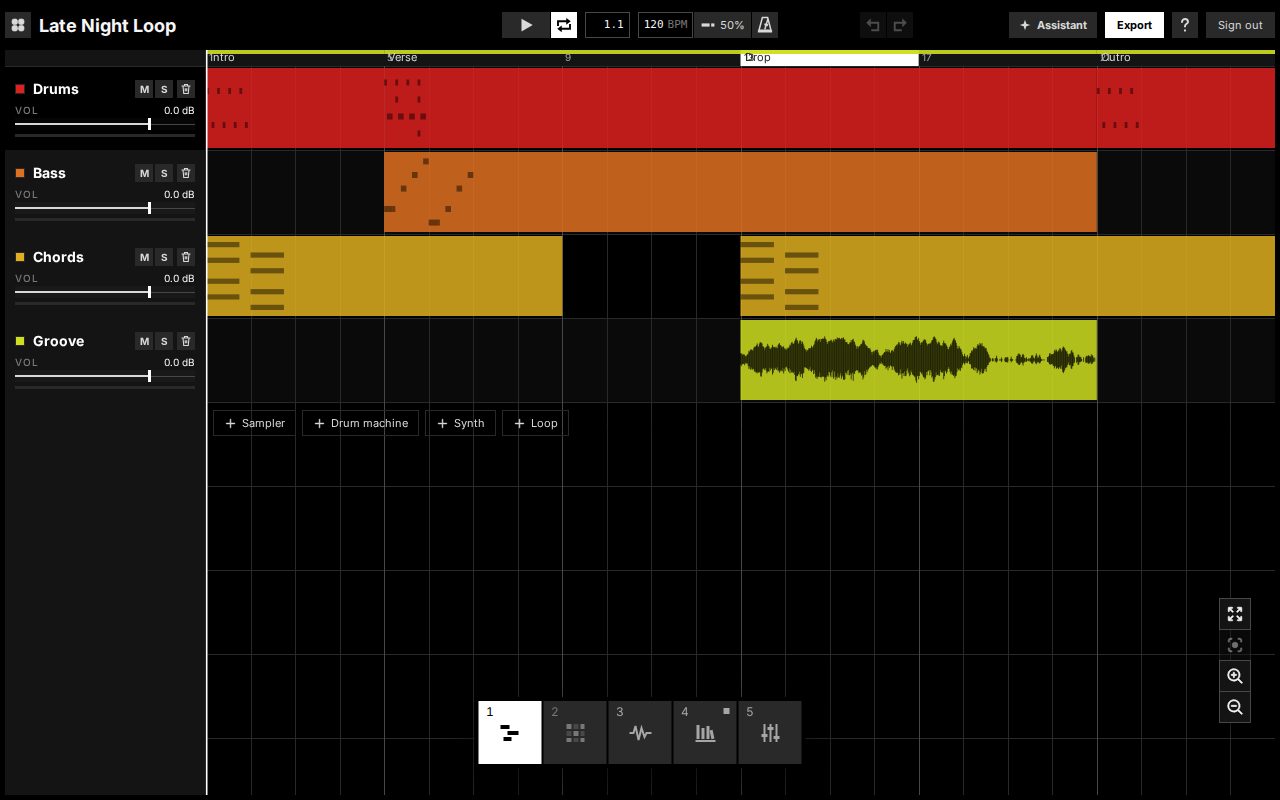
Lay clips out on a timeline, name the sections (intro, verse, drop) and build a song up to ten minutes long. Loop, copy and trim clips the way you would in any DAW.
Invite-only alpha · runs in your browser
Groove is a music studio in your browser with an AI producer beside you. It works inside your project, suggests real changes and explains why they work. You keep, tweak or undo every one, and learn the skills for your next track.
We're letting producers in in small batches. Nothing to install.
Who it's for
You can make a beat. Turning it into a finished track is where it stalls, and the usual help doesn't help.
They teach a technique on a project that isn't yours, and you stop making music to watch them.
Every control is on screen before you know which three matter, and the timeline after your loop is blank.
You get a result, but not the authorship, the control, or anything you learned for the next one.
Coming in October
Not a song generator. It works inside your project, with the same tracks, clips and controls you use.
Stuck after eight bars? Ask, and it suggests a concrete next step for the song you have, not a generic one.
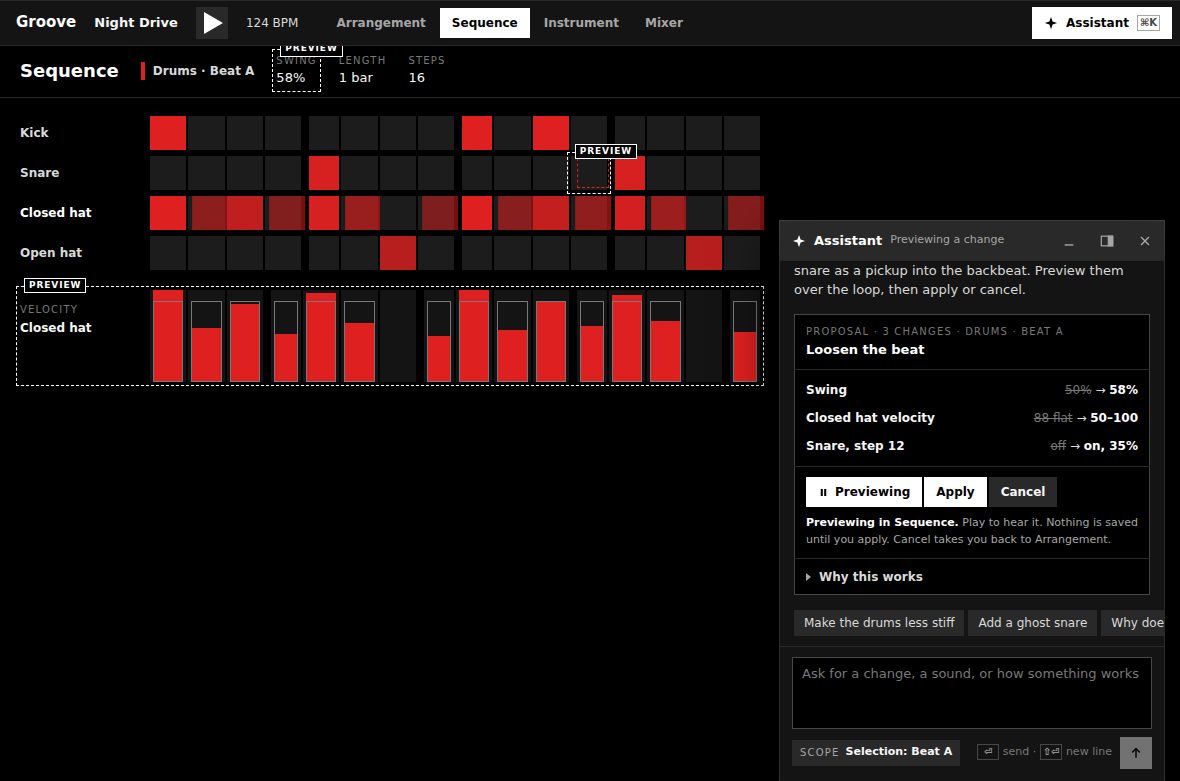
Every suggestion is a real change to your project. Preview it in place, then apply it, tweak it or undo it in one step.
Each change comes with the technique behind it and points at the controls it touched, so next time you can do it yourself.
What's inside
Everything here works in the alpha now. The pictures are the app.
Arrange
Lay clips out on a timeline, name the sections (intro, verse, drop) and build a song up to ten minutes long. Loop, copy and trim clips the way you would in any DAW.
Play
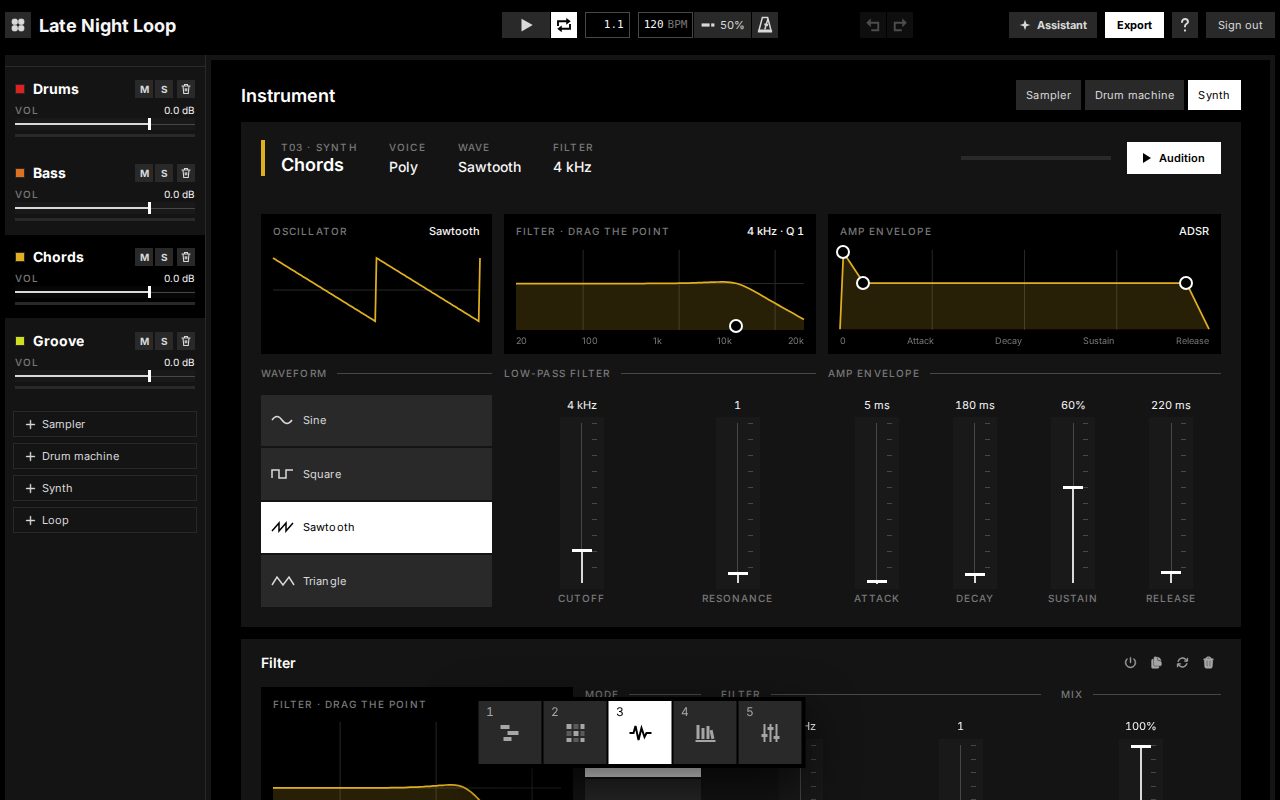
A sampler, a drum machine and a synth, with controls in plain words: Cutoff, Resonance and Attack, not LP, Q and A. Envelopes and filters draw their shape, and redraw as you move them.
Shape
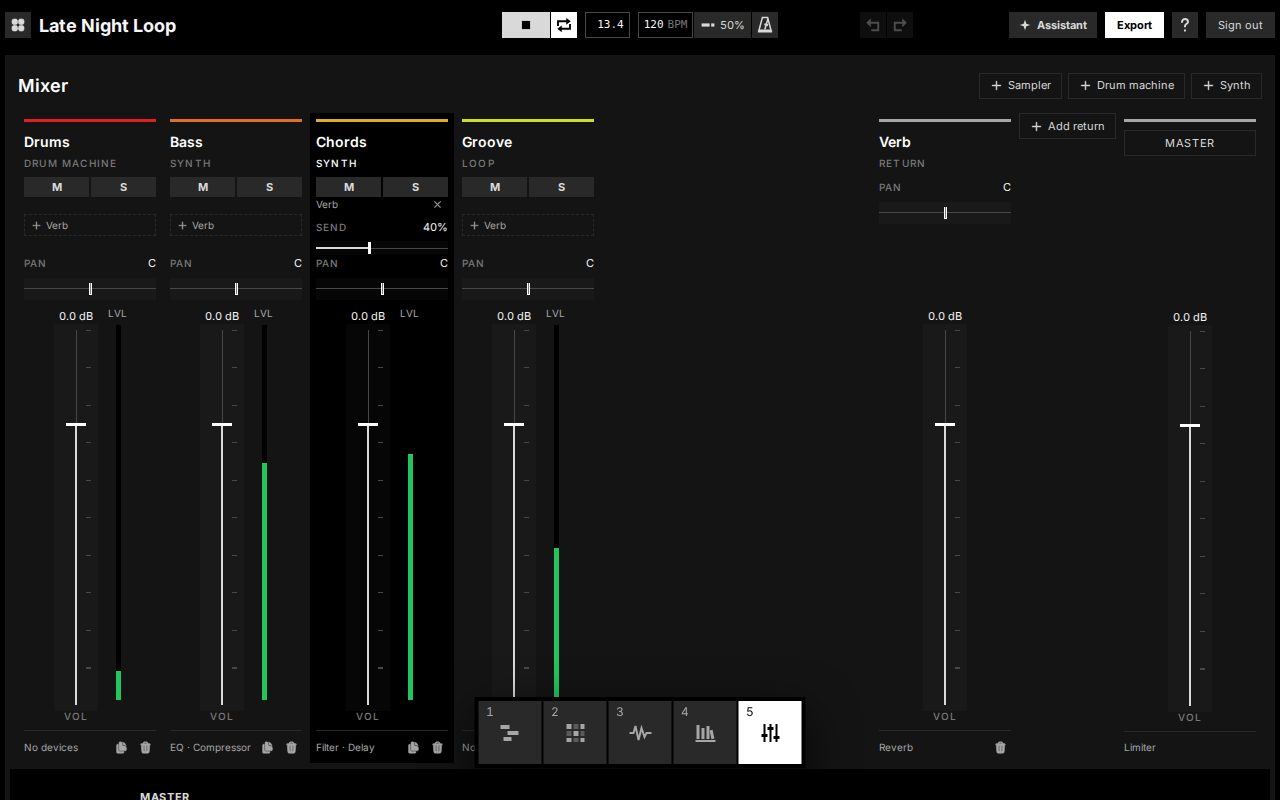
EQ, compressor, filter, delay, reverb, overdrive and saturator, chained on any track. A mixer with level meters, sends and a return. Every move can be undone.
Finish
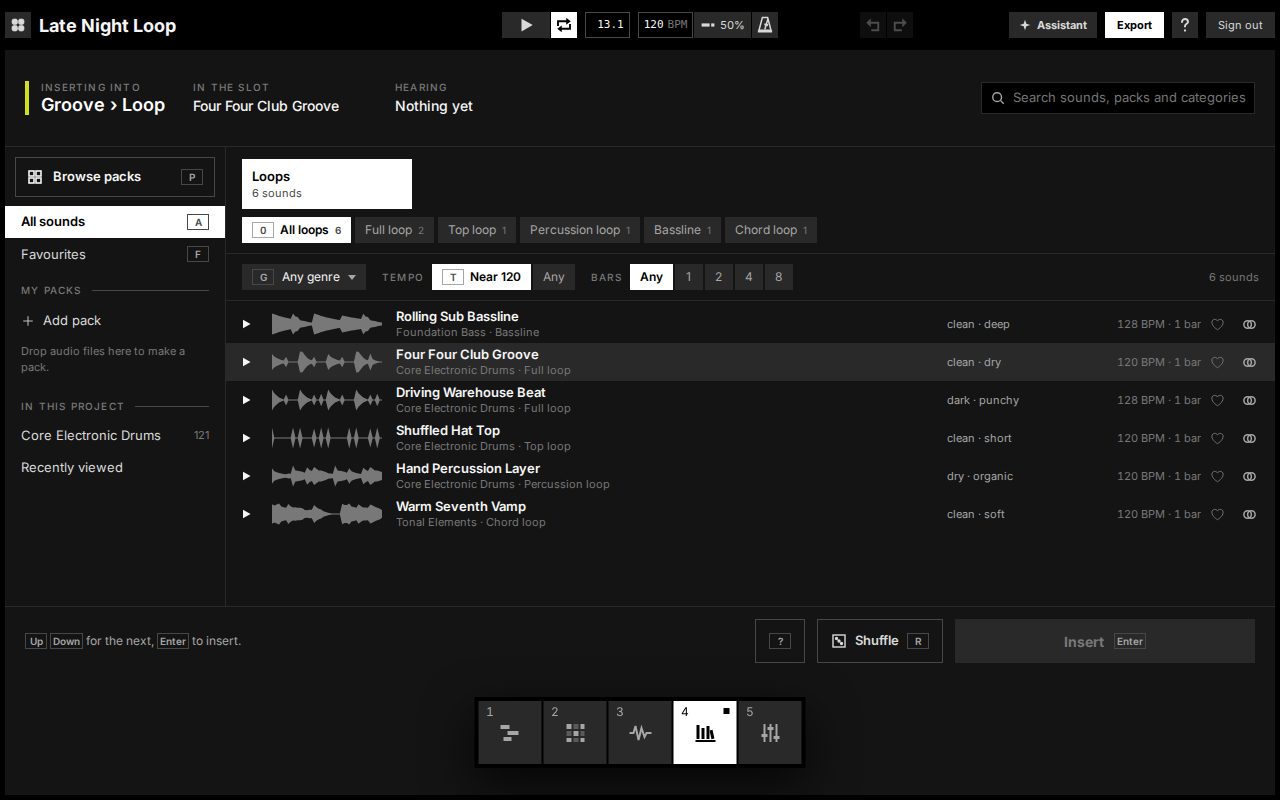
Sound packs you browse by feel, with loops matched to your song's tempo. Export a stereo WAV to share, or DAW-ready stems to mix anywhere else.
Where it fits
Quick to a loop, then stuck there. Little help turning eight bars into a song.
Real tracks, clips, devices and mixing, a step at a time, with an AI producer to suggest what's next (from October).
Everything you will ever need, all on screen at once, and nobody to tell you where to start.
Tracks, clips, effects and stems work the way they do in Ableton Live and Logic Pro, so what you learn here carries over.
How it works
Start a project and make a beat on the step sequencer, or pick a loop from the library.
Lay out sections, add parts and shape the sound, with the AI producer suggesting what's next (from October).
Export a stereo WAV to share, or stems to take into another DAW.
FAQ
We're letting producers in in small batches. Join the list.
Request an invite